 ScreenBook.ai
App mode — embedding an existing app
You have a working single-page prototype and zero desire to rewrite it screen-by-screen. App mode puts the WHOLE app inside the studio: its views appear in the sidebar, deep links work, dark/RTL/scenario controls drive it — and for sealed apps, not one byte of the app's files changes.
Register it
screenbook app add legacy/index.html --device ios --chrome self
That writes an app-type feature:
{
  "id": "legacy",              // feature id — the folder name under features/
  "title": "Legacy app",       // shown in the Feature ▾ dropdown
  "type": "app",               // app-type feature: one embedded SPA instead of file screens
  "src": "legacy/index.html",  // project-relative entry point the studio mounts
  "device": "ios",             // bezel: ios · android · web · none
  "chrome": "self",            // the app draws its own status/home bars — bezel only
  "driver": "driver.js"        // injected adapter (omitted for --cooperative apps)
}
devicepicks the bezel;chrome: "self"means the app draws its own status/home bars so the engine shows bezel only (no doubling). Use"engine"for apps with no chrome.- Same-origin is required for driven apps (the app is served from the project).
Two integration modes, one protocol
Driven (sealed apps). app add scaffolds features/<id>/driver.js — a small script
the shell injects into the app AFTER it loads. It teaches ScreenBook the app's internals:
AppBridge.register({
  title: 'Legacy',
  screens: () => Object.keys(App.screens).map(id => ({ id, title: App.screens[id].title })),
  go: (id) => App.go(id),
  current: () => App.state.screen,
  set: (env) => {                       // called live on every toggle
    App.state.dark = env.mode === 'dark';
    App.render();
  },
  scenarios: () => SCENARIOS.list,      // optional: surfaces the app's own 🎭
  ignoreErrors: [/some-cdn-lib/]        // optional, narrow, commented — known 3rd-party noise
});
The driver lives in YOUR project, not in the app — the app stays certified-untouched.
Call AppBridge.navigated(id) when the app navigates itself (wrap its router once).
Cooperative (apps you can edit). Skip the driver (--cooperative); the app includes
one script and registers itself:
<script src="../engine/app-bridge.js"></script>
<script>AppBridge.register({ screens, go, current, set });</script>
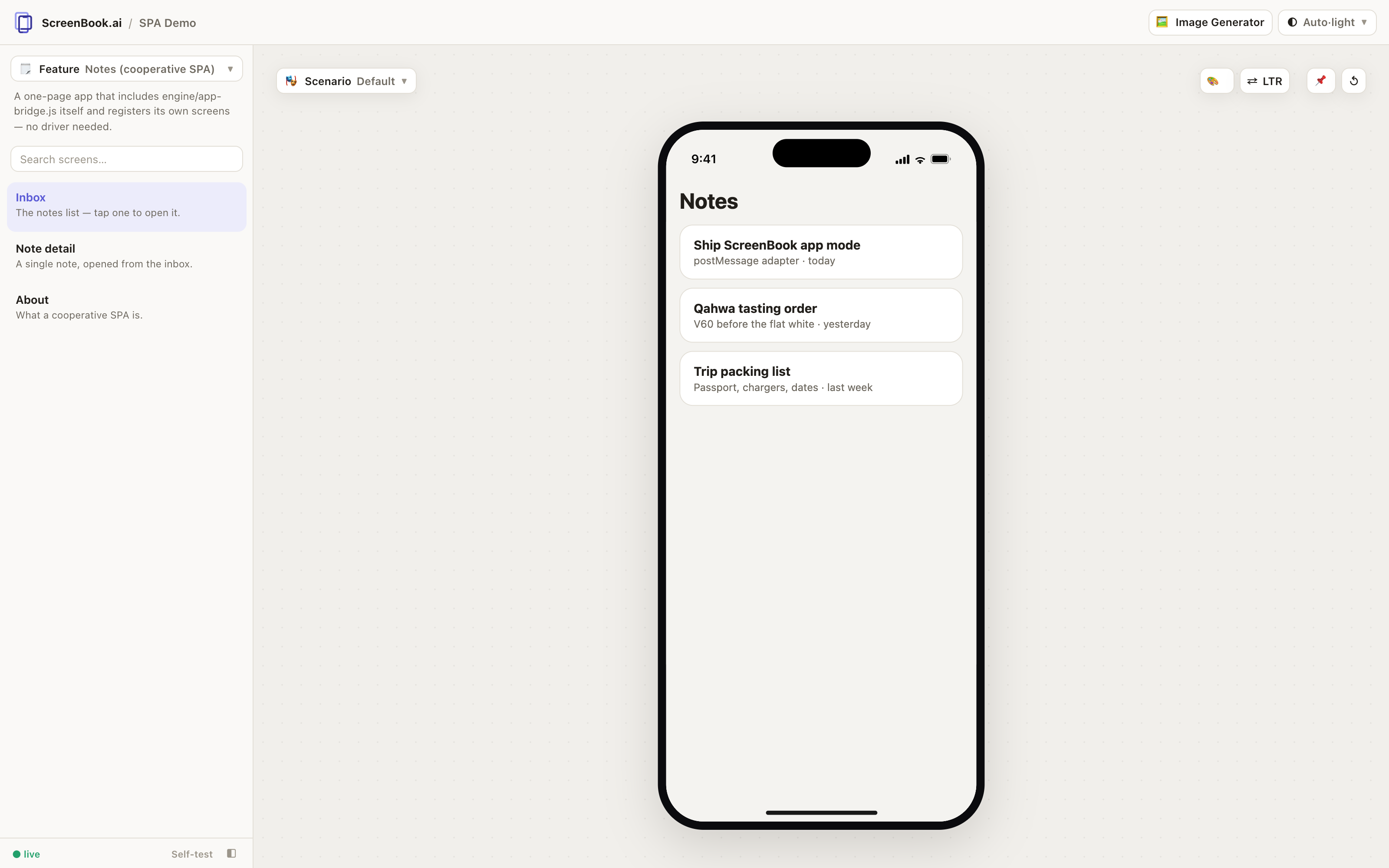
examples/spa-demo is a complete working cooperative app.
What the shell does with it
Sidebar lists the app-reported screens (with the app's own groups) · #feature/screen
deep links → go(id) · in-app navigation reflects back into the URL · mode/dir/lang/theme
tokens/scenario changes arrive live through set(env) · driver-reported scenarios populate
the 🎭 dropdown · flows.json steps work over app screen ids.
One boundary to know: Review Mode is screens-only today — comments can't be pinned inside an embedded app's frame (the app keeps its own right-click behavior there).
The gate
validate boots each app headlessly and requires: registration within 20s, at least one
reported screen, and a clean visit to every reported screen — zero console errors.
Driver bugs surface as driver <fn>: <message> rows. ignoreErrors patterns are for
narrow, documented third-party noise only — everything else still fails.
Reference material
For the driven path, app add scaffolds a fully commented driver.js template — its
TODOs walk you through screens(), go() and set() against your app's real globals.
For the cooperative path, examples/spa-demo inside the package is a complete working
app to copy from.